WhatsApp Business API: The Complete Guide for 2026
Last updated: September 2026
Short Summary:
WhatsApp Business API is a paid, per-message platform that lets medium-large businesses run WhatsApp at scale — multi-agent, automated, CRM-integrated — unlike the single-device Business App.
- Access: Only via certified Meta BSPs (e.g., BerryTalks), not directly from Meta.
- Pricing: WhatsApp Business API uses per-message pricing by category and country. From October 1, 2026, Service Messages will also be charged per message, including replies sent within the 24-hour customer service window.
- Free windows: 24-hour customer service window + 72h Click-to-WhatsApp ad window.
- Setup: BSP → dedicated number → Meta Business Portfolio → WABA → verification → templates → go live.
- Scale: 2B+ users, 180+ countries.
In a world where even the slightest additional cost can drive users away, WhatsApp stands out as a paradigm shifter with over 2 billion users across 180+ countries.
WhatsApp, cleverly playing on the phrase “What’s Up”— has become the world’s popular multiplatform messaging application, surpassing WeChat, Facebook Messenger, and Telegram.
It offers seamless and secure messaging, effortless photo and video sharing, crystal-clear voice and video calls, and a WhatsApp Business API or App to enhance customer interactions.
Building on the strengths of the personal WhatsApp app, WhatsApp Business API offers powerful tools for marketing, e-commerce, customer support, global communication, and more.
This real-time channel, provided by one of the top WhatsApp business solution providers, such as Convex Interactive, enables businesses to engage with global audiences, execute targeted campaigns, and disseminate messages, resulting in up to 3 times more sales and conversions.
Founded in 2012, Convex Interactive is a premier IT solutions provider operating in the United States, the United Arab Emirates, and Pakistan. As an official Meta Business Partner and a PTA, PEMRA, and ISO 27001:2013 certified company, we deliver lasting IT and communication solutions worldwide.
So, what is the WhatsApp Business API, its features, benefits, and use cases, and how do you choose the best API platform for your business?
By the end of this article, you will have all the knowledge you need to soar your customer engagement to new heights and drive your business towards success!
What is WhatsApp Business API?
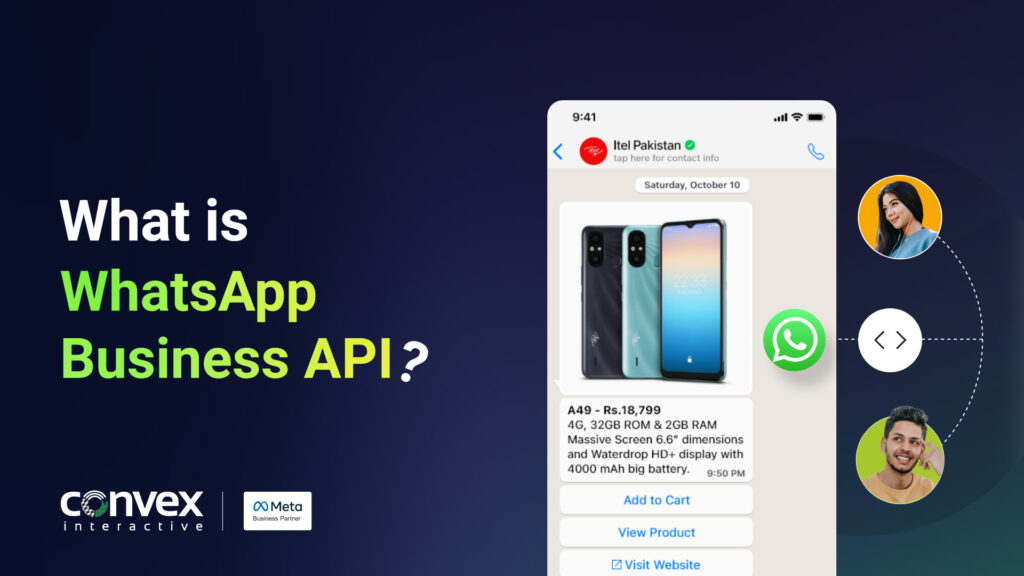
WhatsApp Business API is a powerful messaging platform designed for medium to large businesses that need to communicate with customers at scale.
Unlike the regular WhatsApp app or the WhatsApp Business app (which run on a single phone and are meant for small businesses), the API:
- Connects directly with your CRM, ticketing system, chatbot, or custom software
- Supports multiple agents and devices at the same time
- Enables automation, advanced workflows, and analytics
- Allows proactive messaging using approved templates
In simple terms, the WhatsApp Business API turns WhatsApp into a full‑fledged customer communication channel for marketing, customer support, order updates, and more.
Key capabilities include:
- Automated replies and AI chatbots
- Rich media messages (images, videos, documents, buttons)
- Bulk notifications (within Meta’s policies)
- End‑to‑end encryption and enterprise‑grade security
- Detailed message analytics and reporting
Convex Interactive has used the WhatsApp Business API to:
- Integrate with CRMs and data platforms
- Build custom chatbots and menu bots using tools like Dialogflow and Node.js
- Connect with systems like Salesforce and e‑commerce platforms
- Deliver secure, compliant, and scalable messaging for enterprises
Related Read: 5 Things To Know Before Integrating CRM Into WhatsApp
WhatsApp vs. WhatsApp Business App vs. WhatsApp Business API
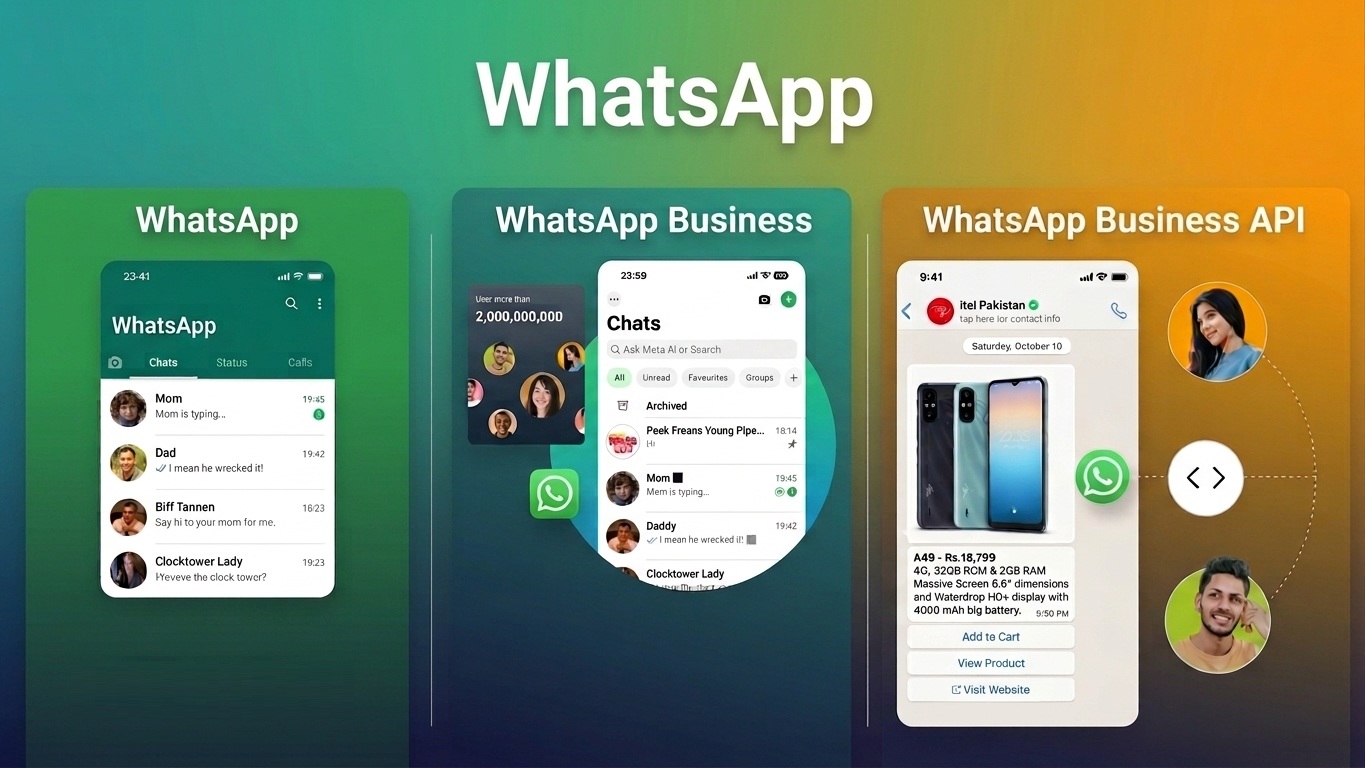
These three look similar on the surface but serve completely different users. Here’s how they actually compare:
| Feature | WhatsApp (Personal) | WhatsApp Business App |
WhatsApp Business API (Platform) |
| Built for | Friends & family chats | Solo entrepreneurs, small local shops | Medium-to-large businesses |
| Cost | Free | Free | Free to use; pay per message sent (see pricing below) |
| Device limit | 1 phone + linked devices | 1 phone + up to 4 linked devices | No phone required — accessed via dashboard/API |
| Number of users | 1 | Up to ~5 | Unlimited (multi-agent, role-based access) |
| CRM / tool integration | None | None | Full integration: CRM, helpdesk, ecommerce, chatbots |
| Automation & chatbots | None | Basic auto-replies, greeting/away messages | Full automation, AI chatbots, workflow builders |
| Bulk / proactive messaging | Not allowed | Not allowed | Allowed via approved templates, with opt-in |
| Message templates | N/A | Limited quick replies | Pre-approved templates with images, videos, buttons, lists |
| Analytics & reporting | None | Basic | Detailed: delivery, read receipts, response time, conversions |
| Verified business profile | N/A | Optional | Available (green tick for verified businesses) |
| Best for | Personal use | Single-location small business | Scaling support, sales, and marketing on WhatsApp |
if you’re a single shop owner replying to messages yourself, the WhatsApp Business App is fine. The moment you need multiple agents, automation, integrations, or to message customers proactively at scale, you need the WhatsApp Business API.
How Does WhatsApp Business API Work?
At a technical level, the WhatsApp Business API works through Meta’s Cloud API (the on-premise version Meta previously offered has been phased out in favor of this cloud-hosted model).
Here’s the basic flow:
- Your business systems (CRM, helpdesk, ecommerce platform, custom app) send a request to your WhatsApp API provider whenever a message needs to go out — for example, an order confirmation or a marketing campaign.
- Your WhatsApp Business API provider (BSP) — such as BerryTalks — sits in the middle, handling the connection to Meta’s servers, managing template approvals, and routing messages.
- WhatsApp/Meta delivers the message to the customer and sends delivery/read receipts back through the same chain via webhooks.
- When a customer replies, the message flows back through your provider into your CRM, helpdesk, or chatbot — where an agent or automation handles it.
Because of this architecture, businesses don’t access the WhatsApp Business API directly from Meta — access is provided through WhatsApp Business Solution Providers (BSPs), which we’ll cover later in this guide.
Related Read: Whatsapp Business for Companies: Everything You Must Know for Growth
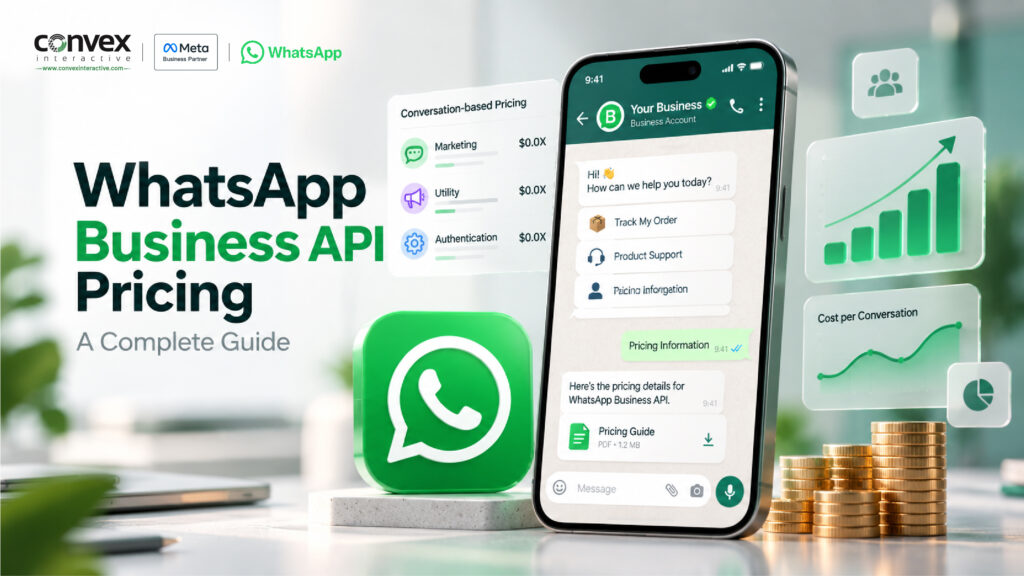
WhatsApp Business API Pricing in 2026
This is the section where most guides online are out of date — so let’s be precise.
The pricing model changed in 2025
For years, WhatsApp Business API used conversation-based pricing: a business was charged once per 24-hour conversation window, regardless of how many messages were exchanged within it. That model no longer applies.
Three major changes reshaped pricing:
- November 1, 2024 — Service conversations became free and unlimited. Previously, businesses got a limited number of free customer-service conversations per month and paid after that. That cap was removed entirely, meaning most customer support interactions on WhatsApp are now free.
- July 1, 2025 — Per-conversation billing for template messages ended. WhatsApp moved to a per-message pricing model, where each delivered template message is billed individually based on its category and the recipient’s country, rather than bundling everything into one conversation charge.
- October 1, 2026 — Meta will move to a per-message billing model for Service Messages (free-form customer support replies sent within the 24-hour customer service window) and for Utility Template messages sent within the same window.
The four message categories
Every WhatsApp Business API message falls into one of these categories, and pricing differs for each:
- Marketing — promotional messages, offers, announcements. The most expensive category.
- Utility — transactional updates like order confirmations, shipping alerts, appointment reminders.
- Authentication — OTPs and account verification messages.
- Service — free-form replies sent within 24 hours of a customer’s message. From October 1, 2026, Service Messages in Pakistan will be charged at $0.015 per message.
When is messaging free?
There are two important messaging windows businesses should design their messaging flows around:
- The 24-hour customer service window — When a customer messages you, a 24-hour window opens, allowing businesses to reply with free-form text without pre-approved templates. However, starting October 1, 2026, each outbound reply from an agent, chatbot, or third-party AI integration will incur a per-message charge ($0.015 per message).
- The 72-hour Click-to-WhatsApp window — when a customer starts a conversation through an eligible Click-to-WhatsApp ad or Facebook Page CTA button, messages sent during the 72-hour window remain free, including eligible template messages.
WhatsApp Business API Pricing in Pakistan from October 1, 2026
| Message Category | Pricing in Pakistan |
|---|---|
| Service | $0.015 per message |
| Utility | $0.015 per message |
| Authentication | $0.015 per message |
| Marketing | $0.0473 per message |
Note: These are Meta’s per-message rates for Pakistan effective October 1, 2026. Additional fees from WhatsApp Business Solution Providers (BSPs) or other platforms may apply.
Smart businesses can structure their acquisition and support flows around these entry points to manage messaging costs more efficiently.Understanding the pricing of WhatsApp Business API and its implications for your business may seem complex. However, you can explore WhatsApp’s pricing model here to gain a better understanding of your specific use case.For more information, feel free to let Convex Interactive help you create engaging customer experiences and enhance customer service with a comprehensive set of WhatsApp business API solutions.
Key Components of a WhatsApp Business Account
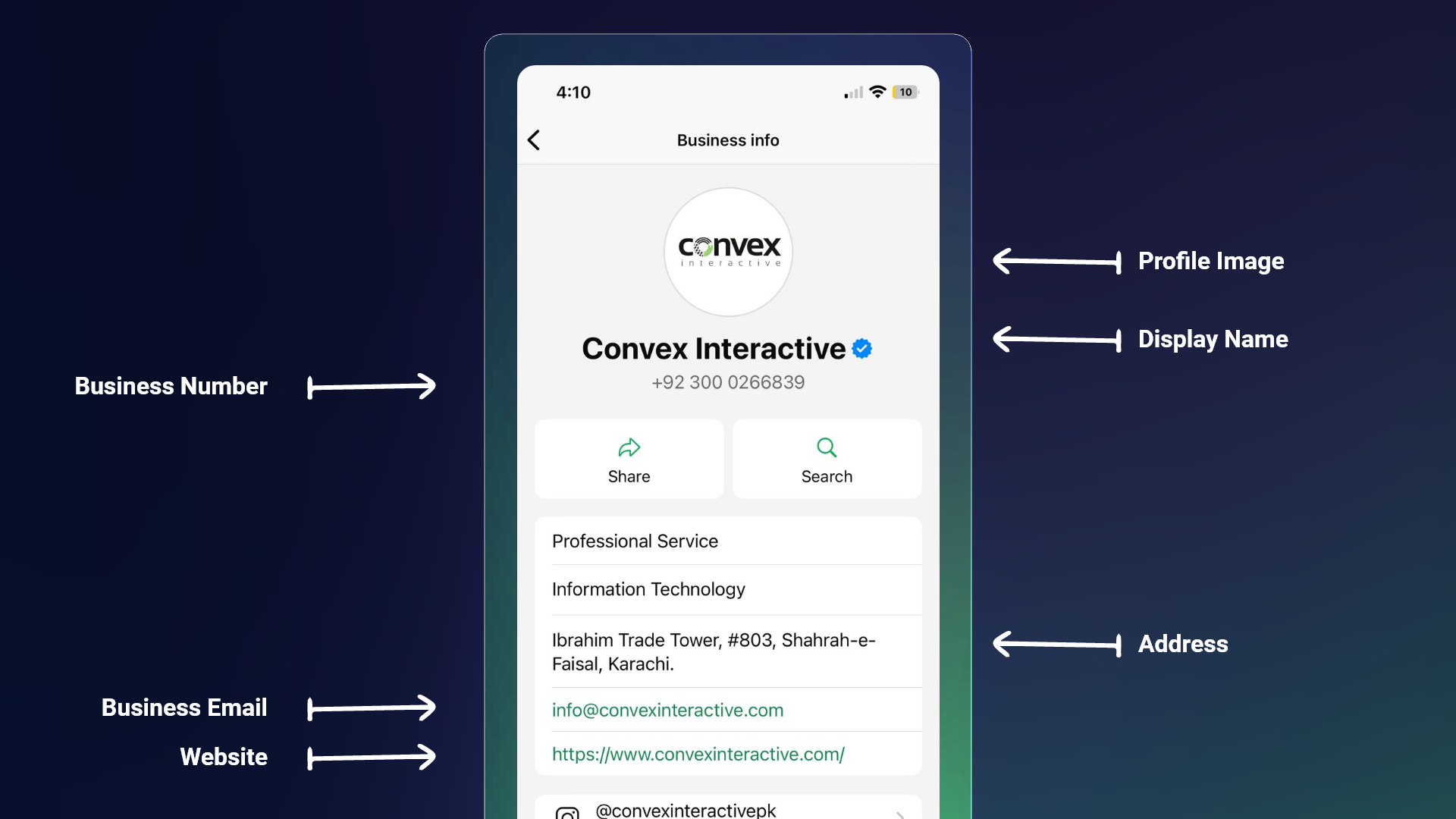
Let’s explore the key components of the WhatsApp Business Account, which work together to help businesses integrate WhatsApp messaging capabilities with their systems and software.
1. WhatsApp Business Profile
A WhatsApp Business Profile is a dedicated space within WhatsApp where businesses can display important information about themselves, including their name, description, address, website, and working hours.
Businesses can also add a logo, cover photo, and link their Facebook page or Instagram account, helping to establish trust with potential customers.
2. Messaging Tools
A wide range of messaging tools is designed to enhance customer engagement and streamline communication by ensuring timely, personalized, and consistent interactions.
These features include quick replies, customizable message templates, automated responses, chatbots, multi-user access, and much more, enabling businesses to interact with customers more effectively and efficiently.
3. Analytics
The WhatsApp Business API provides analytics that offer businesses valuable insights into how customers interact with their messages.
Businesses can evaluate the effectiveness of their communication strategies using metrics such as delivery rates, read receipts, response times, and engagement trends.
This enables businesses to readjust, refine, and optimize their strategies to better align with customer needs and market trends, fostering trust and boosting customer loyalty.
4. Integration
Integration with various business and social media platforms, such as CRM systems, chatbot automation, Facebook, Instagram, X (formerly known as Twitter), and other similar platforms, enabling businesses to streamline workflow automation and enhance customer support.
Additionally, these integrations help manage customer interactions more efficiently by consolidating data, automating repetitive tasks, and delivering personalized experiences.
WhatsApp Business Calling API
One of the more recent additions to the platform is the WhatsApp Business Calling API, which extends the Cloud API beyond messaging into voice. It allows businesses to initiate and receive VoIP calls directly within WhatsApp.
For businesses already using the Cloud API for messaging, adding calling is a natural extension – useful for scenarios like:
- Sales teams following up on a warm WhatsApp chat with a voice call in the same thread
- Support teams escalating a complex issue from chat to a live call without switching channels or losing context
- Appointment confirmations that combine a message reminder with a tap-to-call option
This keeps the entire customer journey – chat and voice – inside one app and one conversation thread.
Want to explore the WhatsApp Business Calling API in more depth? Read our comprehensive article covering everything from setup to implementation.
Benefits of WhatsApp API
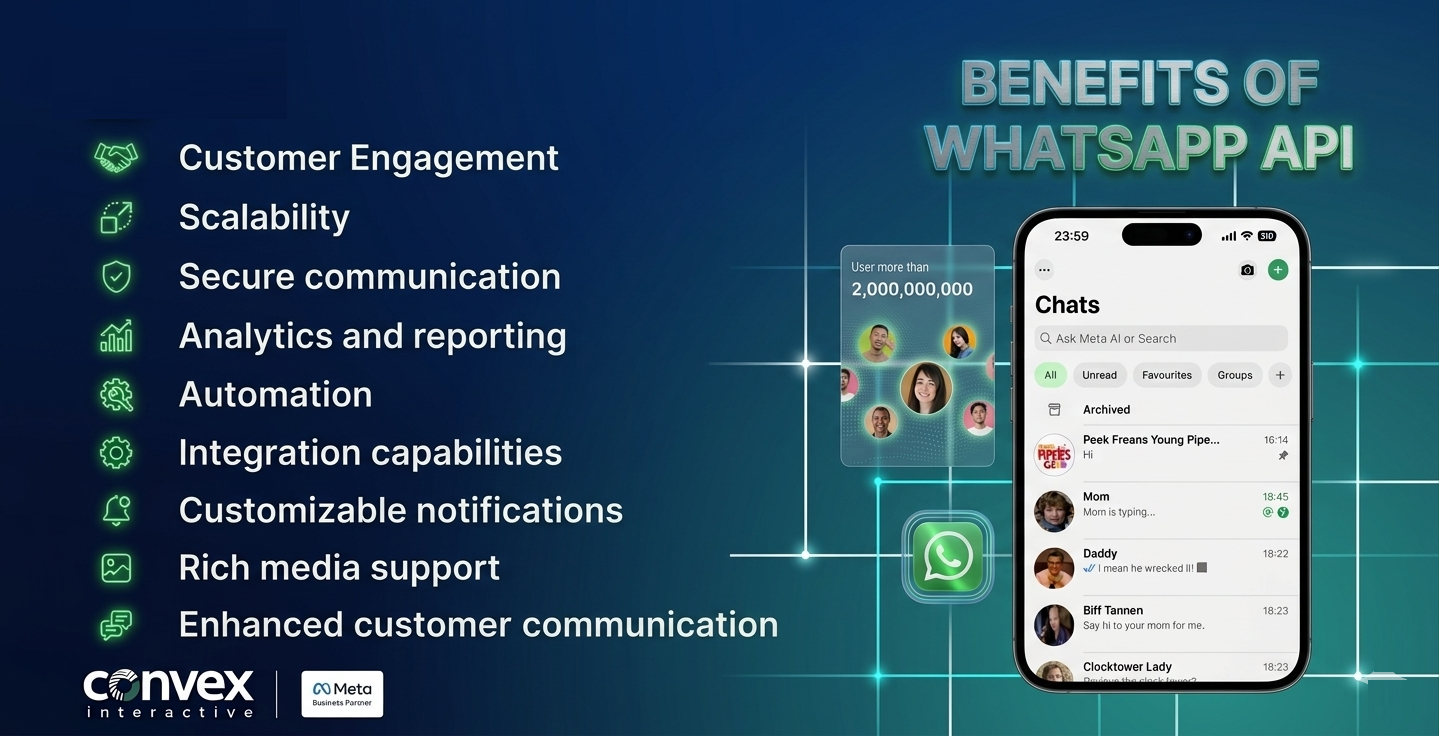
Despite its numerous advantages, the WhatsApp Business Account has certain limitations that may restrict what businesses can accomplish with it.
For medium-sized enterprises to large corporations, partnering with a trusted META BUSINESS PARTNER like Convex Interactive to access the WhatsApp API offers multiple benefits, including:
1. Boost Your Business Reach
With over 2 billion monthly active users and an impressive 98% message open rate, WhatsApp is the ultimate platform for reaching and engaging hundreds of thousands of users.
Powered by a smart and reliable Omnichannel Communication Channel like BerryTalks, businesses can effortlessly send broadcasts, automated messages, and quick replies and effectively connect with their audience at scale.
2. Global Engagement
WhatsApp’s availability in over 180 countries and 60 languages makes it the most accessible marketing platform for connecting with customers globally. If your enterprise has global customers, WhatsApp might be the right channel to reach them.
No matter where you operate, you can reach and create engaging interactions with diverse audiences across borders using features like instant messaging, multilingual support, and rich media sharing (e.g., images, videos, and documents).
3. Unparalleled Customer Support & Relationships
93% of customers are likely to make repeat purchases with companies that offer excellent customer service, and WhatsApp is the perfect platform for providing top-notch customer support in real time to users.
The WhatsApp Business API enables businesses to respond instantly to customer queries, resolve issues quickly, and provide 24/7 assistance through chatbots.
It also supports automated responses, live agent handovers, and personalized communication through a familiar, user-friendly platform, resulting in improved customer engagement and satisfaction.
4. Unmatched Privacy with End-to-End Encryption
Although the internet can never be completely safe and secure, WhatsApp is always concerned about its users’ security and privacy!
WhatsApp successfully eliminates all types of security risks with End-to-End Encryption (E2EE), safeguarding all messages exchanged with customers.
This encryption ensures that only the sender and recipient can access the content, thereby protecting sensitive customer data, including personal details, financial information, and transaction updates.
It prevents unauthorized access and ensures compliance with data protection regulations, such as the GDPR. Additionally, two-factor authentication and verified business profiles build customer trust and establish a reliable foundation for secure and private interactions across global markets.
Real‑World Use Case: Automotive Customer Journey
For a leading automotive client like Proton, Convex Interactive implemented an AI‑integrated WhatsApp menu bot.
Objectives:
- Reduce customer response times
- Answer common questions about models, features, and pricing
- Redirect interested users to the website for deeper research
- Help guide users towards test drives and purchase decisions
Solution:
- A structured WhatsApp menu bot to handle FAQs and product exploration
- Integration with website and internal systems
- Seamless handover to live agents when needed
Impact:
- Faster responses for potential buyers
- Better educated customers before visiting showrooms
- More efficient lead qualification and follow‑up
This is just one example of how WhatsApp Business API can power rich, interactive customer journeys.
How to Get WhatsApp Business API: Step-by-Step Setup
Getting set up involves a handful of steps — most of which a good provider will guide you through:
- Choose a WhatsApp Business API provider (BSP). Since Meta doesn’t grant direct API access to most businesses, you’ll sign up with a certified provider — like BerryTalks — who manages the technical connection on your behalf.
- Get a dedicated phone number. This number must not be actively used on a personal WhatsApp or WhatsApp Business app account. It can be a landline or mobile number, as verification happens via SMS or voice call.
- Set up (or use an existing) Meta Business Portfolio. This is the account-level container Meta uses to manage your business assets, including your WhatsApp Business Account (WABA).
- Create your WhatsApp Business Account (WABA) and connect it to your provider’s platform.
- Complete Business Verification. Meta verifies your business details to confirm legitimacy — this step is also required if you want to apply for a verified (green tick) badge later.
- Build your business profile. Add your business name, description, logo, address, hours, and website.
- Create and submit message templates for approval. Marketing, utility, and authentication messages must use pre-approved templates — your provider typically helps draft these to meet WhatsApp’s content guidelines.
- Integrate and go live. Connect your WABA to your CRM, chatbot, or helpdesk through your provider’s dashboard or API, run a test conversation, and you’re ready to launch.
For a more detailed breakdown of these steps, along with common setup mistakes, check out our in-depth WhatsApp Business API: Step-by-Step Instructions to help you get set up smoothly and take your business communication to the next level.
With a streamlined provider like BerryTalks, most businesses can get from signup to a working setup in a matter of days rather than weeks — though template approval timelines depend on Meta’s review process.
How to Choose a WhatsApp Business API Provider (BSP)
Since Meta requires most businesses to access the API through a WhatsApp Business Solution Provider (BSP), choosing the right one matters as much as the API itself. Look for:
- Official certification — confirm the provider is a recognized Meta Business Partner (not just a reseller).
- Transparent pricing — clear visibility into Meta’s base rate vs. the provider’s markup, with no hidden fees.
- Template approval support — providers who help draft and submit templates that meet Meta’s guidelines reduce rejection delays.
- Integration ecosystem — native or easy integrations with the CRM, helpdesk, and ecommerce tools you already use.
- Regional support — especially important if you operate across multiple countries with different rate cards and compliance needs.
- Compliance certifications — for example, ISO 27001 for data security, plus any local telecom regulatory approvals relevant to your market.
As a certified Google, Meta Business, and WhatsApp Business API Partner, Convex Interactive helps businesses across Pakistan, the UAE, and the US set up and manage WhatsApp Business API through BerryTalks — covering everything from BSP onboarding to chatbot design, CRM integration, and campaign management.management. Need help deciding on the right solution? Read our step-by-step checklist on how to choose a WhatsApp Business API provider for your business.
Frequently Asked Questions
Is WhatsApp Business API free?
WhatsApp Business API uses per-message pricing based on message category and country. In Pakistan, from October 1, 2026, Service, Utility, and Authentication messages cost $0.015 per message, while Marketing messages cost $0.0473. Eligible Click-to-WhatsApp messages remain free for 72 hours.
How much does WhatsApp Business API cost in 2026?
In Pakistan, WhatsApp Business API pricing from October 1, 2026, starts at $0.015 per message for Service, Utility, and Authentication messages, while Marketing messages cost $0.0473 per message. Additional BSP or platform fees may apply.
What’s the difference between WhatsApp Business API and the WhatsApp Business app?
The WhatsApp Business App is a free mobile app for small businesses, limited to one device and a handful of users, with no automation or CRM integration. The WhatsApp Business API is built for medium-to-large businesses, supports unlimited users, full automation, chatbots, CRM integration, and proactive bulk messaging via approved templates.
How do I get access to WhatsApp Business API?
You sign up through a certified WhatsApp Business Solution Provider (BSP), get a dedicated phone number, complete Meta Business Verification, and connect your WhatsApp Business Account (WABA) to your provider’s platform. Learn more from our step-by-step setup guide.
Can I send bulk messages via WhatsApp Business API?
Yes, but only using pre-approved message templates and to customers who have opted in to receive messages from your business. Unsolicited bulk messaging violates WhatsApp’s policies and can result in account restrictions.
Is WhatsApp Business API secure?
Yes. All messages are protected with end-to-end encryption, and businesses can implement two-factor authentication and verified profiles, helping meet data protection standards such as GDPR.
Do I need a developer to use WhatsApp Business API?
Not necessarily. While the API itself is developer-facing, most businesses access it through a BSP’s no-code or low-code dashboard (like BerryTalks), which handles the technical integration, template management, and reporting — so non-technical teams can run campaigns and support without writing code.
Conclusion
The WhatsApp Business API is no longer a “nice to have”—it’s a critical channel for businesses that want to meet customers where they already are.
With the right setup, you can:
- Automate repetitive conversations
- Provide instant, 24/7 support
- Send timely notifications and promotions
- Integrate WhatsApp with your CRM, bots, and data platforms
- Scale your communication securely and efficiently
If you’re ready to transform your customer communication with WhatsApp Business API, our team of certified experts can guide you through every step of the journey.