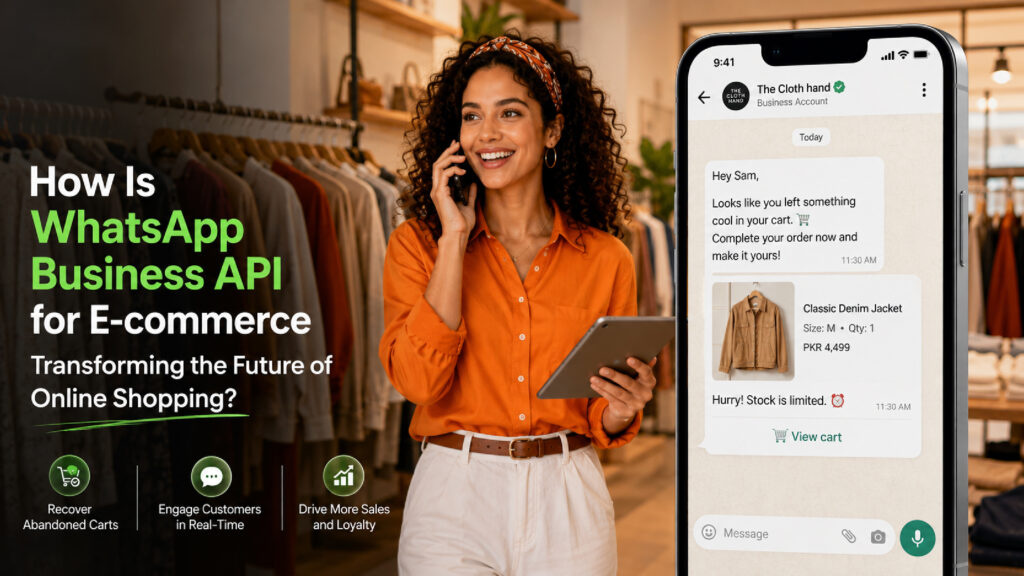
WhatsApp Business API for E-Commerce: Where Every Conversation Drives Growth
Before computers, the internet, and digital tools, e-commerce was unthinkable because businesses relied on physical presence, paper records, and manual labor. People paid in cash or bartered, communicated face-to-face or by landline, and kept all data in paper files.
As technology evolved, people realized the world was moving very fast and that we had to adopt technology to make our lives easier. Communication then shifted toward text and calls, with businesses relying on phone calls, SMS text messages, and emails to talk with customers and handle orders.
As digital communication grew, WhatsApp became a familiar platform for businesses and customers worldwide. With more than 3.3 billion monthly active users and around 2.3 billion daily users, its global reach continues to expand. This adoption has made WhatsApp crucial for e-commerce businesses to connect directly with customers.
As online communication rises, Meta announced the WhatsApp Business API for all businesses, giving e-commerce businesses a way to communicate through a mainstream online channel and connect with customers more directly, quickly, and conveniently than traditional methods.
At the same time, the boom in e-commerce encouraged more people to buy online rather than visit physical stores. As the shift continued, the WhatsApp Business API transformed e-commerce by turning slow, detached website shopping into fast, personal, and trusted conversations.
Moreover, this connection helps businesses respond to customers, share order updates, and maintain communication throughout the buying journey. By making these interactions faster and more convenient, WhatsApp can help e-commerce stores and businesses build stronger customer relationships and support long-term growth.
In this guide, you’ll learn how the WhatsApp Business API for e-commerce enables API-driven communication, workflow automation, real-time customer engagement, and seamless integration to optimize the digital commerce journey and drive scalable business growth.
What is the WhatsApp Business API?
The WhatsApp Business API, officially part of the WhatsApp Business Platform, is a programmatic solution provided by Meta that enables businesses to send and receive WhatsApp messages at scale. It is designed for medium- to large-sized businesses that want to integrate WhatsApp with their existing customer service, sales, marketing, and business systems.
Unlike WhatsApp, the API does not include a user interface. Instead, it connects WhatsApp to business software, including customer relationship management (CRM) systems, helpdesks, shared inboxes, chatbots, and other business applications. This enables features such as automated messaging, team-based customer support, system integrations, and personalized communication.
With API integration, multiple customer service agents can manage conversations in a shared business inbox, enabling teams to respond to customers from a single business number. Businesses can also automate responses, use interactive message features such as buttons and lists, and integrate AI-powered chatbots to handle common customer queries.
The WhatsApp Business Platform can also be integrated with tools such as Shopify, Salesforce, and HubSpot through native integrations, third-party platforms, middleware, or custom development.
Furthermore, when a customer messages a business, a 24-hour customer service window opens, during which the business can generally respond with free-form messages.
To initiate conversations or send certain messages outside this window, businesses must use approved WhatsApp message templates, which Meta reviews to help prevent spam and protect the quality of user communications.
To learn more about how businesses can use WhatsApp for customer communication, read our detailed article on the key benefits of the WhatsApp Business API for businesses.
What is WhatsApp E-Commerce?
WhatsApp E-Commerce, also known as WhatsApp Commerce or Conversational Commerce, enables businesses to showcase products, answer customer questions, and facilitate purchases through WhatsApp conversations.
Using the WhatsApp Business Platform, businesses can integrate their product catalogs and shopping experiences with WhatsApp, allowing customers to discover and interact with products without leaving the messaging app.
Depending on the business setup and available features in a particular market, customers can view product images, prices, and details, add products to a WhatsApp cart, place orders, and, where supported, complete payments within WhatsApp.
This brings key stages of the shopping journey into a familiar chat environment, allowing businesses to combine product discovery, customer support, and sales in a single conversation.
Benefits of Using the WhatsApp API for E-Commerce
1. Improved Customer Engagement
Using the WhatsApp Business API helps online stores connect with buyers on a messaging platform they already use, creating a faster, more direct way to communicate.
Businesses can use two-way conversations, personalized messages, and automated responses to answer questions, support customers, and guide them, improving the experience and driving higher conversions when used effectively.
Businesses can send personalized confirmations, shipping updates, delivery notifications, and promotions via WhatsApp. Rich media such as images, videos, catalogs, and interactive buttons make product information more engaging and clear.
Additionally, automation and chatbots, especially AI voice agents, enable businesses to respond outside regular support hours, helping customers get assistance whenever they need it.
2. Faster Customer Support
Integrating the WhatsApp Business API gives online stores a direct channel for faster customer support. Automated chatbots and Conversational AI can instantly answer common questions, while support teams can use approved message templates and shared inboxes to handle customer queries more efficiently.
Instead of waiting through lengthy email exchanges or phone queues, customers can use WhatsApp to share photos or videos to explain product issues, request assistance, or report damaged items.
Furthermore, stores can keep customers informed with order confirmations, delivery updates, and shipping notifications, easing issue resolution and support throughout the customer journey.
3. Reduced Cart Abandonment
Leveraging the WhatsApp Business API helps e-commerce businesses reduce cart abandonment by sending timely reminders and providing customer support directly on WhatsApp. Businesses can remind customers about items left in their carts and use automated messages to encourage them to return and complete their purchases.
Sharing one-click checkout or payment links via WhatsApp simplifies the purchasing process. If customers have last-minute questions about product availability, delivery, payment, or returns, businesses can respond quickly via automation or support agents.
By removing communication barriers and addressing purchase concerns promptly, WhatsApp can help businesses recover more abandoned carts and improve conversion rates.
4. Higher Message Open Rates
The WhatsApp API delivers exceptional engagement for e-commerce, with message open rates as high as 98%, far outperforming the 20% average for traditional email. This high visibility helps ensure that order updates, shipping alerts, delivery notifications, promotional messages, and flash sales are seen and acted upon almost instantly.
With WhatsApp’s delivery and read indicators, businesses can better understand whether messages have reached and been viewed by customers. Combined with interactive features such as buttons, product catalogs, and rich media, these messages can make it easier for customers to engage with the information and take the next step.
5. Personalized Shopping Experience
Retail and e-commerce businesses can deliver more personalized customer experiences by sending personalized product recommendations, order updates, shipping notifications, and relevant offers based on customer interactions and purchase history, where appropriate.
Furthermore, businesses can share product recommendations, order-tracking links, delivery confirmations, and tailored promotional offers directly on WhatsApp. Automated cart reminders can prompt customers to complete their purchases, while human agents can step in when customers need more personalized assistance.
By combining automation with two-way communication, businesses can deliver relevant support and engagement throughout the customer journey.
6. Seamless CRM Integration
WhatsApp Business CRM integration allows e-commerce businesses to connect customer conversations with existing customer data and interaction records. This creates a centralized workflow in which teams can access customer information and manage interactions without switching between platforms.
This integration uses customer history, inquiries, purchase records, and past conversations to enable targeted messaging and personalized support. It also helps businesses improve team efficiency, maintain better customer context, and deliver a more consistent experience.
Best Practices for Using WhatsApp API in E-Commerce
1. Build a Clear Customer Opt-In Process
Building a high-quality subscriber list requires clear, documented permission from customers before sending WhatsApp messages. It can collect consent through checkout pages, order confirmations, pop-ups, landing pages, and QR codes, while keeping WhatsApp consent separate from other terms.
At the same time, businesses should clearly state the brand name, communication channel, message types, and expected frequency, while maintaining detailed consent records. Providing simple opt-out options such as “STOP,” “UNSUBSCRIBE,” or “CANCEL” also helps customers control future communications.
2. Personalize your Messages
Personalizing messages through the WhatsApp API can build trust and boost sales by making each customer feel valued. Businesses can use buyer data to send tailored offers, clear order updates, and friendly greetings that match individual preferences.
For better engagement, use customers’ real names, share accurate shipping and tracking details, and recommend products based on past purchases. Keep the tone short, warm, and human, while messaging only customers who have permitted you to receive updates.
3. Maintain a Healthy Messaging Frequency
Maintaining a healthy messaging frequency on the WhatsApp API for e-commerce helps businesses stay connected without overwhelming customers with unnecessary communication. Limit promotional messages to two or three per month, while keeping transactional updates concise and relevant.
In addition, businesses should monitor block and opt-out rates, segment audiences by interest, and reduce message frequency if engagement declines. Honor “STOP” or unsubscribe requests immediately to prevent unwanted messages and maintain better communication quality.
4. Balance Automation with Human Touch
Balance speed with a personal touch by using automated bots for routine tasks such as order tracking, FAQs, shipping questions, and store hours. This keeps support fast while allowing businesses to collect initial customer details and order numbers upfront.
Route complaints, returns, complex product questions, and frustrated shoppers to human agents when needed. Set clear bot limits, provide a “speak to human” option, use a shared inbox, and transfer the full chat history so customers do not have to repeat themselves.
5. Test and Optimize Campaigns
To test and optimize e-commerce WhatsApp API campaigns regularly, track key performance metrics such as delivery, read, click-through, and conversion rates. These insights help identify what is working and where messaging strategies need improvement.
For better results, A/B test message templates, media formats, CTA buttons, and send times while refining audience segments based on real-time data. Monitor opt-outs, clean inactive lists, and review the quality of Meta Business Manager templates to maintain effective campaigns.
E-Commerce Use Cases for WhatsApp
E-commerce businesses can use a wide range of WhatsApp marketing tactics to engage customers and drive sales. These tactics can be grouped into three key categories:
1. Personalized Promotional Messages
Personalized promotional messages help e-commerce stores welcome new leads, share exclusive offers, and encourage repeat purchases through relevant communication. Stores can also use cart reminders, price-drop alerts, back-in-stock notifications, and milestone offers based on customer interests.
For instance, e-commerce stores can use replenishment campaigns to remind customers to reorder products when they are likely to run out. Personalized recommendations and timely promotions can make WhatsApp a strong channel for product discovery, conversions, and revenue growth.
2. Transactional Messages
Transactional messages help e-commerce stores provide customers with important, non-promotional information triggered by actions such as purchases or account activity. Common examples include order confirmations, shipping updates, invoices, payment notifications, account alerts, and cancellation messages.
As a result, timely transactional updates keep customers informed throughout their purchase journey and help stores build trust. Including useful details, such as expected delivery times or any delays, can make the overall experience more reliable.
3. WhatsApp Commerce
WhatsApp Commerce enables e-commerce stores to turn WhatsApp into a two-way shopping and customer support channel, allowing customers to interact directly with brands. Customers can discover products, browse catalogs, add items to their cart, and complete purchases within WhatsApp.
In this way, customers can move through the buying journey without opening a separate website or app. This streamlined experience can reduce drop-offs and make product discovery and purchasing more convenient for mobile-first customers.
How to Implement WhatsApp API for E-Commerce
Step 1. Choose a WhatsApp Business API Provider
Before implementing the WhatsApp Business API for e-commerce, choose a certified provider to help connect your e-commerce store to WhatsApp. This creates a secure communication channel for managing customer interactions and business operations.
To simplify the process, Convex Interactive provides WhatsApp Business API solutions that support order updates, customer service, and automated messaging. This helps businesses create a more organized and efficient communication system.
Step 2. Get a Dedicated Business Phone Number
Set up a dedicated phone number for your WhatsApp Business API for e-commerce that is not actively connected to a personal WhatsApp account. This number becomes the primary communication channel for your e-commerce store.
For example, a footwear store can use a single dedicated number for product questions, order updates, delivery alerts, and customer support.
Step 3. Set Up Your Meta Business Portfolio
Create or use an existing Meta Business Portfolio to manage your business assets, including your WhatsApp Business Account. It provides the foundation for connecting your store with the WhatsApp API.
For example, an online electronics store can manage its Business Account on WhatsApp and other Meta business assets from a single organized portfolio.
Step 4. Create Your WhatsApp Business Account
Create your WhatsApp Business Account (WABA) and connect it with your selected API provider or platform. This account enables your e-commerce store to manage business messaging through WhatsApp.
For example, an online store can use its WABA to manage customer conversations, order notifications, and support messages through its business number.
Step 5. Complete Business Verification
Complete Business Verification by providing accurate business information so Meta can confirm the legitimacy of your e-commerce business. This step helps establish your business identity before moving further with the setup.
For example, an online retailer may submit its business name and official details to complete verification and proceed with WhatsApp onboarding.
Step 6. Build Your Business Profile
Complete your business profile with details such as your business name, description, logo, address, operating hours, and website. A complete profile helps customers quickly recognize and understand your store.
For example, a beauty store can display its logo, website, business hours, and description so customers know exactly which business they are contacting.
Step 7. Create and Submit Message Templates
Create approved message templates for business-initiated communication, including order confirmations, shipping updates, delivery alerts, and promotional messages. These templates help e-commerce stores communicate important information in a structured way.
For example, a store can send “Your order has been shipped and will arrive on ” as a template-based delivery update.
Step 8. Integrate and Go Live
Finally, integrate WhatsApp with your CRM, chatbot, helpdesk, or e-commerce platform through your provider’s dashboard or API. Test the complete communication flow before launching it for customers.
For example, when a customer places an order, the system can automatically send a WhatsApp confirmation, shipping notification, and delivery update without manual intervention.
Unlock the Full Potential of WhatsApp E-Commerce with Convex Interactive
WhatsApp has become a powerful channel for e-commerce businesses to connect with customers, manage conversations, and drive sales. Convex Interactive helps businesses unlock the full potential of WhatsApp Business API by bringing customer support, order updates, automated responses, and personalized interactions into a single communication channel.
With scalable, flexible solutions tailored to different e-commerce workflows, Convex Interactive helps businesses streamline communication, strengthen customer relationships, and create more efficient digital experiences that support long-term growth.
While many WhatsApp Business API solutions may seem similar at first, their capabilities can differ significantly in practice. Convex Interactive’s WhatsApp Business API stands apart by offering a scalable, flexible solution that fits diverse e-commerce workflows.
FAQs
Can you track your ecommerce order through WhatsApp?
Yes, you can track ecommerce orders through WhatsApp if the merchant uses an automated messaging system integrated with their store. Many online shops offer real-time shipping alerts, interactive order details, and status updates via chat when you message their business number.
Can you get customer support through WhatsApp after placing an order?
Yes, many online stores and brands allow you to contact customer support via WhatsApp after placing an order. Companies often send order updates, shipping alerts, and receipts directly to your WhatsApp chat.
Can you receive purchase updates directly on WhatsApp?
Yes, you can receive purchase updates directly on WhatsApp. Many online stores and businesses use automated systems integrated with the WhatsApp Business Platform to send real-time alerts, receipts, and shipping notifications.
Can the WhatsApp API be integrated with existing e-commerce platforms?
Yes, the WhatsApp Business API integrates easily with platforms such as Shopify and Magento. It enables automation of order confirmations, shipping updates, cart recovery alerts, and customer support chats through Meta partners or Business Solution Providers.
Is the WhatsApp API suitable for small and growing e-commerce stores?
Yes, the WhatsApp Business API is a useful tool for small and growing e-commerce stores. It automates order updates, improves customer support, and boosts sales through direct communication, but it requires third-party software and setup costs.