How to Get WhatsApp Business API: Step-by-Step Instructions
As a business grows, it has to keep pace with how it handles customers. More orders, more conversations, and more customers can quickly turn simple communication into a challenge, especially when your team is still replying one by one.
This is a common struggle for both small and large businesses today, whether you’re running an e-commerce brand or a growing service business. As customer messages keep coming in, teams can get stuck trying to keep up and miss out on WhatsApp Business API’s benefits for faster, more organized communication.
The good news is you don’t have to figure it all out on your own. Convex Interactive guides you through the WhatsApp Business API setup step by step, so you know exactly what to do next and can build a smoother way to manage customer conversations.
How to Set Up WhatsApp Business API Step-by-Step Process
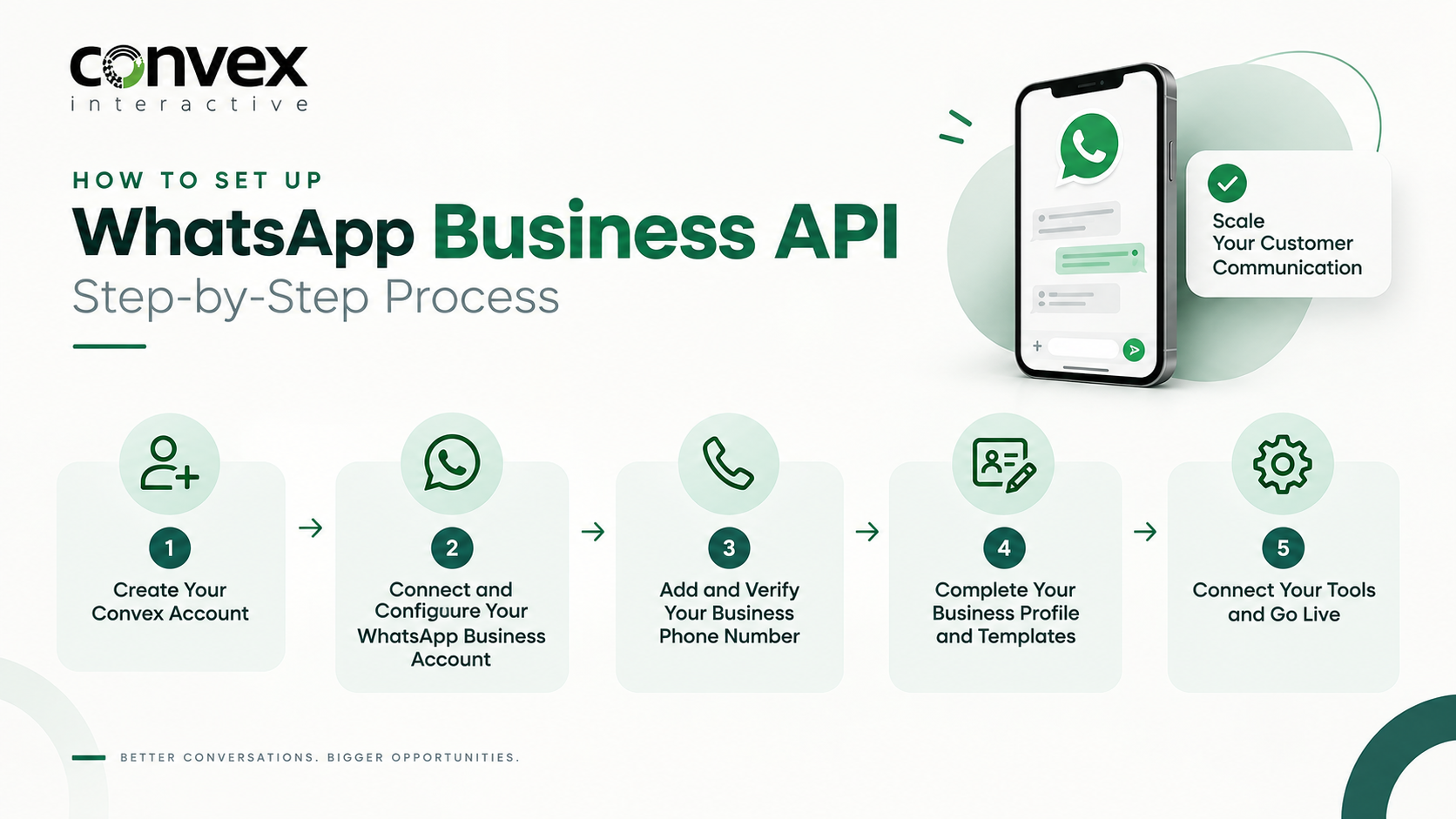
Step 1: Create Your Convex Account
Start by signing up with Convex Interactive and entering the basic business details required for your WhatsApp Business API setup. After you create your account, complete the onboarding process and connect your business to WhatsApp.
Step 2: Connect and Configure Your WhatsApp Business Account
Next, connect or create your WhatsApp Business Account (WABA) and complete the required setup. This links your business assets to the WhatsApp API and prepares your account to manage customer conversations on WhatsApp.
Step 3: Add and Verify Your Business Phone Number
Add the phone number you want to use for the WhatsApp Business API, then complete the required verification process. Make sure you can access the number to receive the SMS or voice verification code.
Step 4: Complete Your Business Profile and Templates
Set up your WhatsApp Business profile with your display name, description, website, and other relevant details. You can also create message templates for notifications, reminders, authentication, and marketing as needed.
Step 5: Connect Your Tools and Go Live
Connect your WhatsApp API to tools such as your CRM, chatbot, e-commerce platform, helpdesk, or other business systems. Test everything before going live, then start communicating with customers while monitoring message quality and account performance.
If you’re keen to take the next step and want to understand the WhatsApp Business API beyond setup, our WhatsApp Business API: The Complete Guide covers everything you need to know, from getting started to using it effectively for your business.
Common Setup Mistakes to Avoid
1. Using a Number Already Linked to WhatsApp
Using a number without properly handling its existing WhatsApp registration can disrupt your API setup. Check the number’s current status before connecting it to avoid unnecessary migration or registration issues.
2. Choosing the Wrong Display Name
Your WhatsApp display name should clearly represent your business and match your branding. A confusing or unrelated name can create problems during the review and approval process.
3. Sending Too Many Messages Too Soon
Avoid launching high-volume campaigns immediately after activating your API number. Start gradually, keep messaging high quality, and increase your activity as your account builds a positive sending history.
4. Ignoring Business Verification
Treating verification as an afterthought can limit what you can do with your WhatsApp Business account. Complete the required business checks early and ensure that the information you submit is accurate and consistent.
5. Skipping Message Template Approval
Sending promotional or business-initiated messages without approved templates can lead to delivery issues or policy violations. Create and submit your required message templates for approval before launching campaigns.
How Long Does It Actually Take?
Setting up your WhatsApp Business API can be relatively quick, but the overall timeline depends on business verification, phone number registration, and account configuration. Meta’s review process can take longer if the submitted business details require additional checks.
Once your account is ready, you can move on to message templates, customer flows, and integrations. As you scale, maintain high messaging quality and follow WhatsApp’s policies, as these factors can affect your account’s messaging capabilities.
FAQs
Can you get WhatsApp Business API without a WhatsApp Business app?
Yes, you can use the WhatsApp Business API without the regular WhatsApp Business app. The API is designed for businesses that need automation, CRM integrations, team access, and large-scale communication, and you can set it up through Meta or a WhatsApp Business Solution Provider.
Can you connect your existing business number to WhatsApp Business API?
Yes, you can use an existing business number if it meets WhatsApp’s registration requirements. If the number is already connected to WhatsApp, you may need to migrate it before using the API. Your BSP can also guide you through the registration process.
How can you get WhatsApp Business API without coding?
You can access the WhatsApp Business API without advanced coding by choosing a reliable Business Solution Provider. The provider simplifies verification, number setup, message templates, and API configuration, enabling quick WhatsApp automation without building the system from scratch.