How to Choose a WhatsApp Business API Provider That Actually Fits Your Business
A customer sends a message on WhatsApp expecting a quick answer, but as your business grows, one conversation can quickly become dozens. Orders, questions, complaints, and follow-ups start piling up, making it harder to keep every customer connected.
For many businesses, WhatsApp is already a key channel for questions, orders, and updates. But when everything depends on a single number and manual replies, messages get missed, responses slow down, and customers may turn to a competitor that responds first.
The right WhatsApp Business API provider can make a real difference. In this guide, Convex walks you through what the API solves, how to choose the right provider, and how Meta’s announcement of the WhatsApp Cloud API for All Businesses has made business communication more accessible.
Here is what to evaluate before making a decision, including pricing, support, security, integrations, and long-term scalability.
WhatsApp Business API Provider Checklist
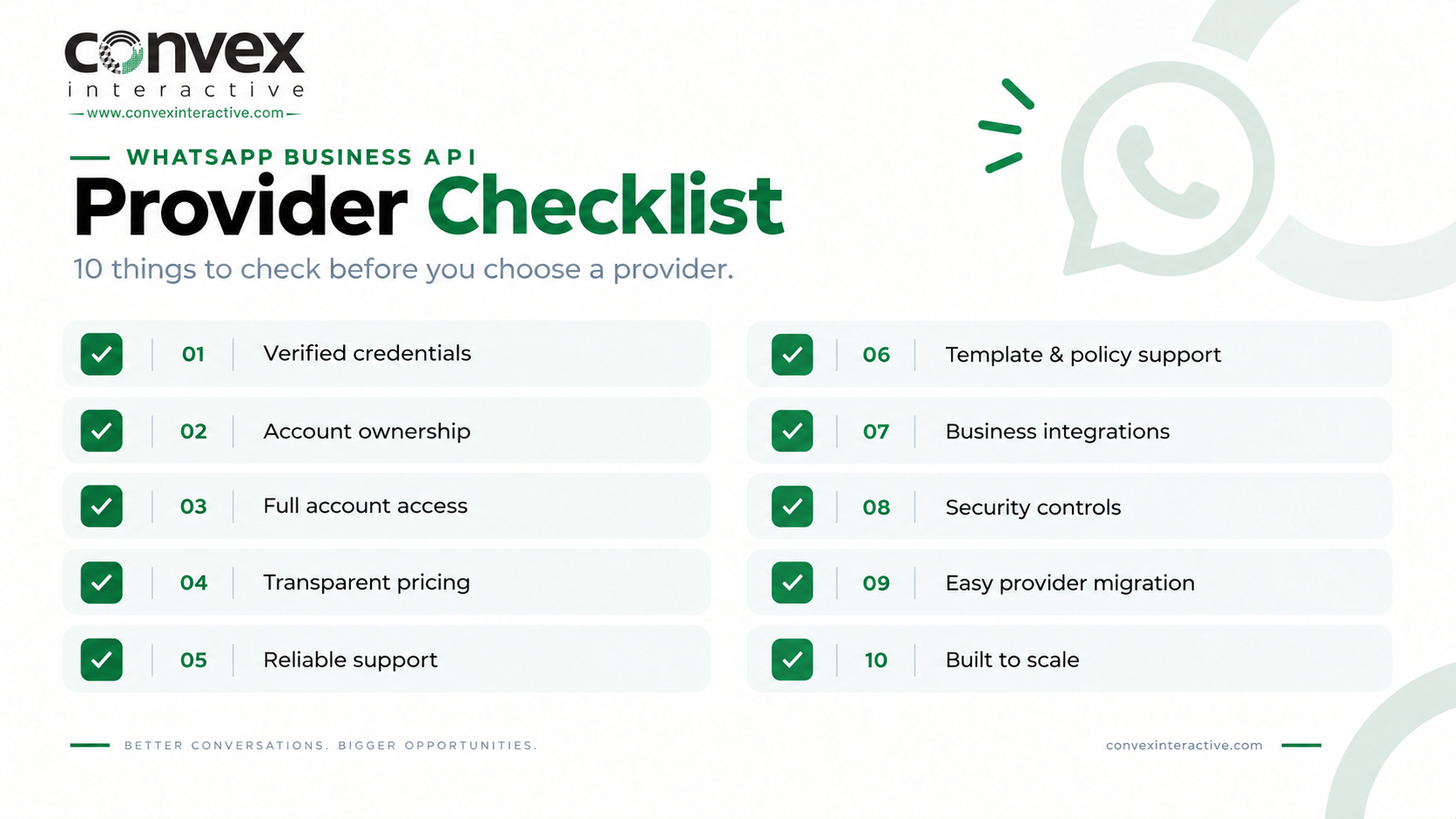
Before moving forward, check that all the required information, details, and setup steps have been completed.
- Can the provider’s Meta partnership or other credentials be verified?
- Who will own and manage your WABA?
- Will your business have full and appropriate access to its account?
- Are Meta’s charges clearly separated from the provider’s fees?
- What onboarding and technical support are included?
- How does the provider handle templates and changing policy requirements?
- Which CRM, e-commerce, and business tools can be connected?
- What security controls and certifications does the provider have?
- How easy is it to move your account if you change providers?
- Can the provider handle your needs as your messaging volume and use cases grow?
Get Ahead With Meta’s Requirements
Before choosing a provider, make sure your business has the essentials in place, including business verification, a suitable phone number, and clear ownership of your WhatsApp Business Account. Keeping these assets under your control gives you more flexibility if you ever need to change providers.
Once that’s clear, look at how the provider handles onboarding, billing, integrations, and account access. Compare Meta’s messaging charges with the provider’s platform fees to know exactly what you’re paying as your business grows.
Verify the Provider, Not Just the Sales Pitch
A provider may offer impressive features, but what matters is whether it has the right partnerships, transparent pricing, reliable support, and integrations for your business. Ensure your account and business assets remain under your control, especially if you plan to use an AI-Powered WhatsApp Business API as you scale.
Once you’ve checked that, ask for a clear breakdown of all costs and test the provider’s onboarding, integrations, templates, and support before committing. This helps you choose a provider based on real value rather than a convincing sales pitch.
Before you choose, make sure you know:
- Is the company an official Meta Business Partner?
- Who will own and manage your WABA and your phone number?
- What level of access will your business have?
- How does the provider manage templates, policies, and updates?
- Does the provider have experience working with businesses like yours?
Being a Meta Business Partner is useful, but it should not be your sole deciding factor. Also, consider security, customer support, integrations, and the provider’s experience before making your choice.
Make Account Ownership and Exit Terms Clear
Before you sign up, make sure you know exactly who controls your WhatsApp Business Account, phone number, and connected business assets. Your provider should give your business clear access and explain how you can move your setup if you decide to switch providers.
Look for clear answers on:
- WABA ownership: Make sure the account remains under your business’s control.
- Phone number: Understand who manages the number and how migration works if you change providers.
- Templates: Check who can create, edit, and manage your approved message templates.
- Data and integrations: Confirm what access you retain to your data, CRM connections, and other integrations.
- Exit process: Ask how the provider handles migration and what happens when you leave.
- Extra fees: Check whether switching providers involves migration, setup, or other charges.
Keeping ownership and access clear from the beginning gives you more freedom later. It also helps you avoid becoming dependent on a provider for assets or information your business needs to operate.
Check the Full Cost Before You Choose
The price you see first may not be the final amount you pay. Meta charges for messaging, and providers may add fees for their platform, setup, integrations, or support. Compare the total cost before making a decision.
Before signing up, ask for a breakdown of:
- Meta messaging charges: Check what Meta charges for the message categories and countries you plan to target.
- Provider or platform fees: Find out whether the provider charges a monthly fee, per-message markup, or both.
- Setup and onboarding costs: Ask whether account setup, number registration, verification, or onboarding comes with an additional charge.
- Integration or development fees: Confirm the cost of connecting your CRM, chatbot, e-commerce platform, or other business tools.
- Support and management charges: Check whether ongoing technical support, campaign management, or account assistance is included.
- Volume-based pricing: Ask how your costs change as your message volume increases and whether larger volumes qualify for better rates.
A lower starting price does not always mean a lower overall cost. For a deeper look at pricing, setup, features, and how the platform works, explore our WhatsApp Business API guide before choosing your provider.
See What Support Looks Like After Launch
Getting your account live is only the beginning. Once customers start messaging, you may need help with templates, integrations, delivery issues, account settings, or changes to Meta’s requirements, so check what kind of support the provider offers after launch.
Before you commit, look for these important signs of reliable support:
- Dedicated onboarding: Someone who can guide your team through the setup and answer questions along the way.
- Template support: Help with creating, submitting, and managing message templates.
- Technical help: Quick assistance when your API, integrations, or messages face problems.
- Integration support: Help connecting your CRM, helpdesk, chatbot, or other business tools.
- Monitoring and troubleshooting: Support for finding and fixing delivery or account issues.
- Platform updates: Guidance on how to handle Meta changes to its features, policies, or technical requirements.
Check How Well It Connects With Your Tools
The real value often comes from connecting WhatsApp with the systems your team already uses. Depending on your business, this could include a CRM, an e-commerce store, a helpdesk, a chatbot, an analytics platform, or automation tools.
Before choosing a provider, check:
- Does it already work with the tools your business uses?
- Is it a ready-made connection, API, webhook, or custom setup?
- Know whether setup, maintenance, and updates are covered?
- Check whether you can automate replies, notifications, routing, and customer journeys.
- Ask who will maintain the integration when your systems or requirements change.
Make Security Something You Can Check
WhatsApp conversations can include customer details, order information, and other business data, so security should be more than a promise on a sales page. Your provider should clearly explain how it protects your information and controls access to your business accounts.
Before signing up, check:
- Access controls: Know who can access your account, data, and business assets.
- Data handling: Ask how your information is stored, processed, and managed.
- Account security: Check what protections are available for users and API access.
- Business continuity: Find out what happens if the provider faces an outage or technical problem.
- Security evidence: Look for documented security practices or relevant certifications rather than relying only on marketing claims.
Why Convex Interactive Is a Strong Choice
Choosing a provider is about more than basic API access; it’s about finding a solution that can grow with your business. When comparing Convex Interactive with Others, it becomes easier to see what really matters in support, scalability, and overall value.
Convex Interactive offers WhatsApp API solutions with CRM and ticketing integrations, AI chatbots, multiple-agent access, automation, analytics, and proactive messaging. It also provides guided onboarding, dedicated support, and solutions built around the changing needs of growing businesses.
The goal is simple: make WhatsApp easier to manage today while giving your business room to grow tomorrow. With integrations, automation, secure infrastructure, and ongoing support, Convex helps businesses make WhatsApp a stronger part of their customer communication.
FAQs
Which WhatsApp Business API provider is right for a growing business?
The right provider should match your messaging volume, integrations, budget, and long-term growth plans. Focus on reliability and support rather than choosing a provider based only on its feature list.
Is it better to choose a WhatsApp Business API provider or use Meta directly?
Using Meta directly can suit businesses with strong technical resources, while a provider can simplify setup, integrations, and ongoing support. Your choice should depend on how much technical control and hands-on assistance your business needs.
What can go wrong if you choose the wrong WhatsApp Business API provider?
A poor provider can lead to unclear pricing, weak support, integration issues, or difficulties as your messaging needs grow. Choosing carefully from the start can save your business time, money, and unnecessary migration headaches.
Reference: